

Your phone holds 9,000 photos, dozens of apps you never open, thousands of unread emails, and a desktop that looks like a junk drawer exploded. Sound familiar? Digital clutter weighs on you exactly like physical clutter — every red notification badge and mystery folder is a tiny unfinished task your brain keeps re-reading. This digital declutter checklist is built for one ordinary weekend: no paid tools, no tech wizardry, no courses. Just your phone, your laptop, and about three hours spread across Saturday and Sunday. If even starting feels like too much, read how to start decluttering when you're overwhelmed first — then come back here for the action plan.
Ground Rules Before You Begin
Two rules keep this weekend calm instead of stressful. Rule 1: back up first, delete second. Before you delete a single thing, make sure your photos and important files are backed up — iCloud, Google Photos, Google Drive, or an external drive you already own. Decluttering should feel bold, not scary. Rule 2: done beats perfect. A folder called "2026-Stuff" that you actually use beats a perfect fourteen-folder taxonomy you abandon by February.
Saturday: Your Phone (Your Most-Touched Device)
Start where you'll feel the win fastest — the device in your hand all day.
Step 1 — Tame the camera roll (30–45 minutes)
Open your photo library and work in passes. First, delete the blurry shots, accidental pocket photos, and near-duplicate bursts — most phones let you select a whole row with one swipe. Second, delete screenshots older than a month that you no longer need; screenshots are the number-one photo-library pollutant. Third, tap the heart on the keepers you actually love. A realistic target is trimming 20–30% in one sitting. Don't aim for some magic final number — aim for "I can find a photo from last month in ten seconds."
Step 2 — Purge and group your apps (20–30 minutes)
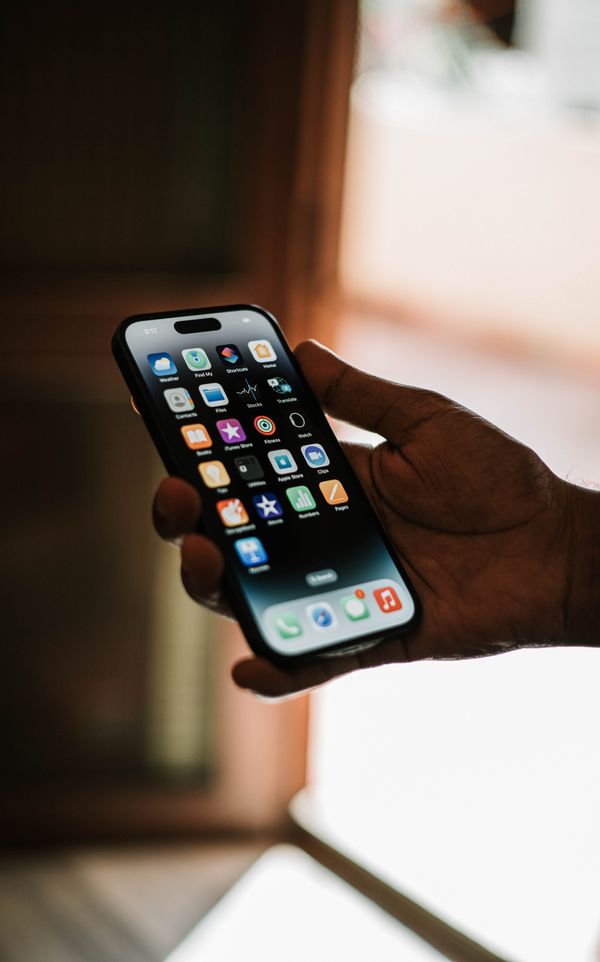
Check your phone's storage settings to see which apps you haven't opened in months — the numbers don't lie. Delete ruthlessly, including those "useful someday" games and the three weather apps. Then group the survivors: one home screen for daily essentials (messages, calendar, maps, camera, bank), folders for the rest (Finance, Health, Travel, Kids). A simple rule that works: anything you open less than once a week doesn't earn a home-screen spot. Plug the phone into your small charging station while you do this, so at least one corner of the house stays tidy during the process.

Step 3 — Silence the notifications (10 minutes)
Open your notification settings and turn off everything that isn't a person or a bill. Social media, shopping apps, games — all off. Keep calls, texts, calendar, and banking. This single step cuts more daily interruption than everything else in this checklist combined, and it takes less time than making tea.
Sunday Morning: Files, Photos & Cloud — the Rest of Your Digital Declutter Checklist
Step 4 — Empty the downloads folder (15 minutes)
The downloads folder is everyone's digital junk drawer. Sort it by date: ancient installers, expired coupons, and PDFs from three years ago get deleted; the handful of keepers get filed where they belong. Set a fifteen-minute timer — this is a sprint, not a project. When the timer rings, you're done, whatever's left can wait for next month.
Step 5 — Sort your cloud drive (30 minutes)
Open Google Drive or iCloud and merge your half-finished folder systems into five broad folders: Personal, Household, Finances, Work, and Archive. Move files into the closest match instead of overthinking — a bill photo in "Finances" today beats a perfect system you never build. Start file names with the date (like 2026-11-02_bill.pdf) so they sort themselves automatically. Apartment Therapy's guide to organizing digital files covers the same backup-first approach if you want a second opinion.
Step 6 — Back up the keepers (10 minutes)
Verify that automatic backup is actually switched on — for photos and for files. Open the settings and look, don't assume. A declutter only sticks if the keepers are safe somewhere that isn't your laptop's hard drive. While that runs, clear your desktop down to zero files: everything goes into a folder or the trash.

Sunday Afternoon: The Inbox (35 minutes)
Step 7 — Unsubscribe first, delete second (20 minutes)
Search your inbox for the word "unsubscribe" and work through the results: retail newsletters, expired free trials, notification emails from apps you barely use — unsubscribe from every list you don't actually read. Then sort your inbox by sender and mass-delete the bulk mail you never open. Stopping the flow of new junk matters more than deleting old junk.
Step 8 — Set up three folders (15 minutes)
Create three folders: Action (needs a reply from you), Waiting (someone owes you something), and Archive (handled). Now process what's left: answer it, file it in one of the three, or delete it. A healthy inbox isn't an empty one — it's one where only the Action folder has mail in it. If paper piles are the physical version of this problem, our small-apartment mail organization guide and paper clutter guide cover that half of the battle.
The 10-Minute Weekly Reset
Run this tiny checklist once a week (Sunday evening works well — set a phone reminder) and the clutter never rebuilds:
- Delete 10 blurry or duplicate photos
- Clear all notifications and empty the downloads folder
- File anything sitting on your desktop
- Unsubscribe from one mailing list
- Check that backups ran this week
"Digital clutter is invisible, but the relief of clearing it is very real."
Digital Declutter Checklist FAQs
How long does a digital declutter take?
This checklist is designed for one weekend: roughly two and a half to three hours total, split across Saturday and Sunday, with each task timed at 10 to 45 minutes. You can also spread it across two weekends if life is busy — the order still works.
Will I lose important photos or files?
Not if you follow Rule 1: turn on cloud or external-drive backup before you delete anything. Declutter from the copies, never from the only copy. When in doubt about a file, move it to your Archive folder instead of deleting it.
Do I need to pay for extra cloud storage?
Almost never. Deleting duplicates, old screenshots, and unused apps usually frees more space than you'd gain by paying for a storage upgrade — and it's free. Fix the clutter before you buy more room for it.
How often should I repeat this digital declutter checklist?
One deep session per year, plus the 10-minute weekly reset above. That rhythm keeps digital clutter from ever rebuilding into a weekend project again. Apartment Therapy's digital declutter guide recommends the same zone-by-zone approach, one device at a time.
Your devices should serve you, not nag you. By Sunday evening your phone will feel lighter, your photos will be findable, and your inbox will hum instead of shout. And the best part? Next Sunday it only takes ten minutes to keep it that way.